NeuroNarrator
A voice-controlled visual-assistance prototype for blind and low-vision users.
The problem
How can spoken interaction make camera-based descriptions more useful and manageable?
I led a team to build a phone-camera visual assistant with spoken commands and audible descriptions.
My role & contributions
I led the team and integrated the camera/voice interface, cloud analysis and narration-coordinated capture.
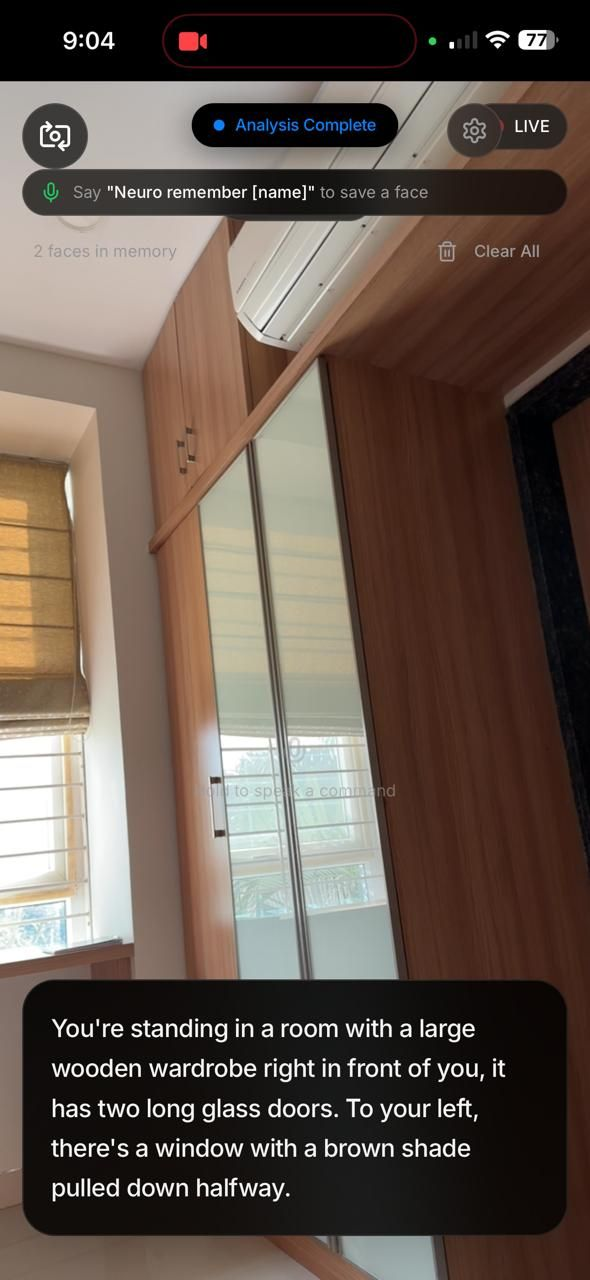 Enlarge figure ↗
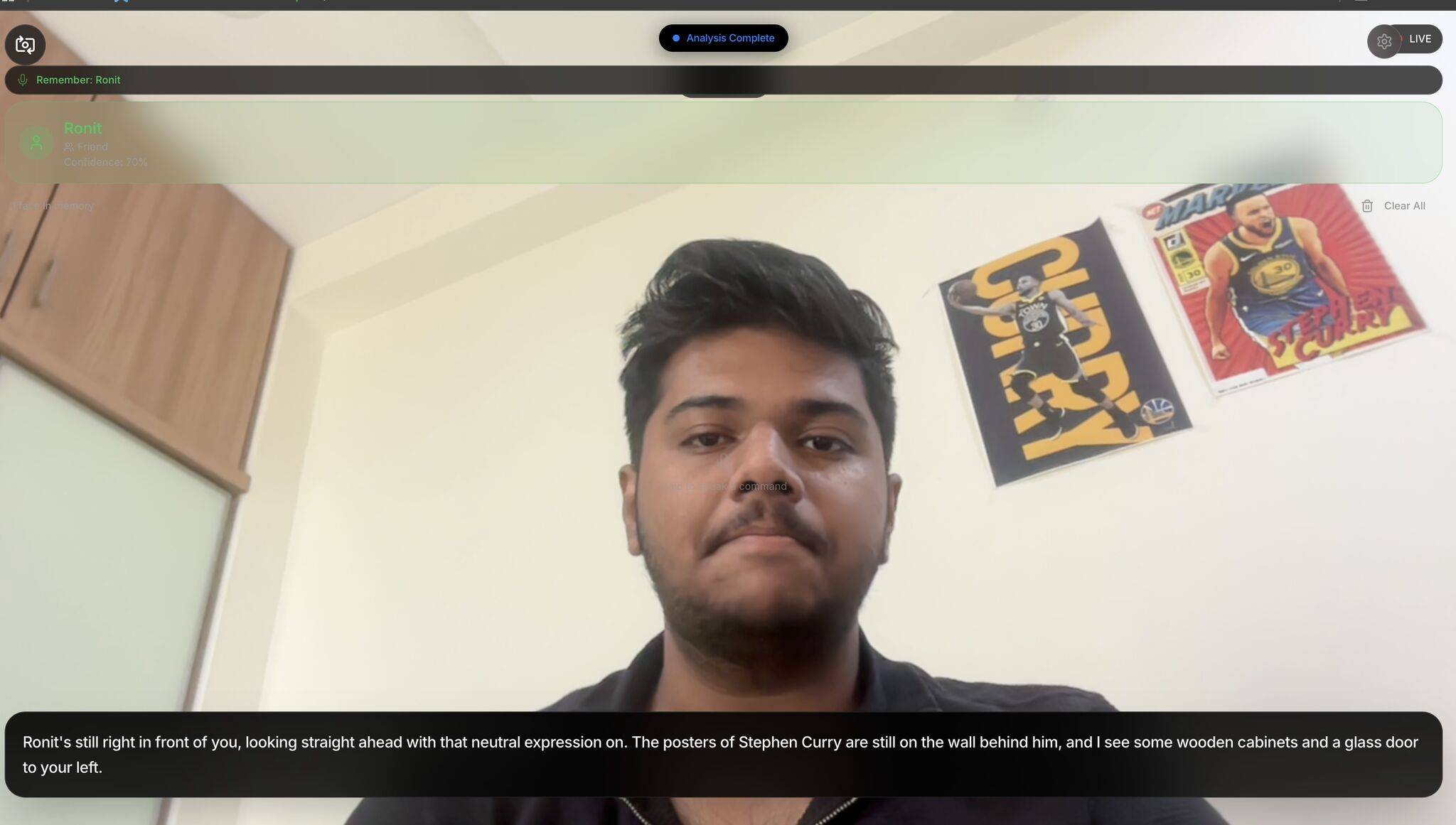 Enlarge figure ↗
Source: original image assets from presentation slide 2. These are prototype demonstrations, not user-study results.
Method & system
Scene analysis and spoken interaction
- React camera + voiceThe person starts a scan or gives a command
- Supabase Edge FunctionA scene frame is sent to the cloud analysis service
- Groq-hosted Llama 4 visionScene description, hazard classification and priority
- Spoken output + feedbackNarration, priority audio and vibration; next capture coordinated with narration completion
Familiar-face memory
- Face analysisface-api.js extracts and compares face descriptors
- Device memoryDexie / IndexedDB stores saved descriptors and labels
- Recognition outputA matching label can inform the accompanying description
- Coordinating capture with narration completion avoids starting a new description while the previous one is still being spoken. Hazard feedback uses priority-based sound and vibration.
- Familiar-face descriptors and labels are stored on the device, while scene frames travel to cloud analysis. These two processing paths have different storage and network requirements.
Implementation details
- The React camera and voice interface sends frames through a Supabase Edge Function to Groq-hosted Llama 4 Scout, then Maverick. Gemini 2.5 Flash through the Lovable gateway is a fallback when configured.
- face-api.js performs familiar-face matching; Dexie / IndexedDB stores face descriptors and labels locally.
- Browser SpeechRecognition handles commands. Spoken output uses Sarvam bulbul:v2 with browser speech-synthesis fallback; a separate speech-to-text endpoint implements Sarvam saarika:v2.5.
Evaluation & results
The screenshots show outputs from the working web prototype. The placement recognizes a hackathon demonstration; user evaluation is proposed below.
Scene-analysis frames travel to cloud services. Familiar-face descriptors and labels are stored on the device; the full system uses both local and cloud processing.
Future work
- Explore active camera guidance to bring relevant objects into view.
- Evaluate navigation safety and task performance with blind and low-vision participants before use as a navigation aid.
- Study recognition errors, consent for familiar-face memory and how uncertainty is communicated.
Task-aware descriptions
How should a person’s immediate task change what the assistant describes first?
- Ask what the person wants to do, and prioritize information relevant to that immediate task.
- Offer a brief first response with follow-up requests and control over detail.
- Proposed evaluation: task completion, time to useful information, unnecessary audio and perceived control. These are study questions, not measured outcomes.